Documentation Index
Fetch the complete documentation index at: https://arizeai-433a7140-mikeldking-12899-providers-and-secrets.mintlify.app/llms.txt
Use this file to discover all available pages before exploring further.
Google Colab
colab.research.google.com
Install
pip install openinference-instrumentation-bedrock
Setup
Connect to your Phoenix instance using the register function.
from phoenix.otel import register

# configure the Phoenix tracer
tracer_provider = register(
  project_name="my-llm-app", # Default is 'default'
  auto_instrument=True # Auto-instrument your app based on installed OI dependencies
)
boto3 prior to initializing a bedrock-runtime client. All clients created after instrumentation will send traces on all calls to invoke_model, invoke_agent, and their streaming variations.
import boto3

session = boto3.session.Session()
client = session.client("bedrock-runtime")
Run Bedrock Agents
From here you can run Bedrock as normal
session_id = f"default-session1_{int(time.time())}"

attributes = dict(
    inputText=input_text,
    agentId=AGENT_ID,
    agentAliasId=AGENT_ALIAS_ID,
    sessionId=session_id,
    enableTrace=True,
)
response = client.invoke_agent(**attributes)
Observe
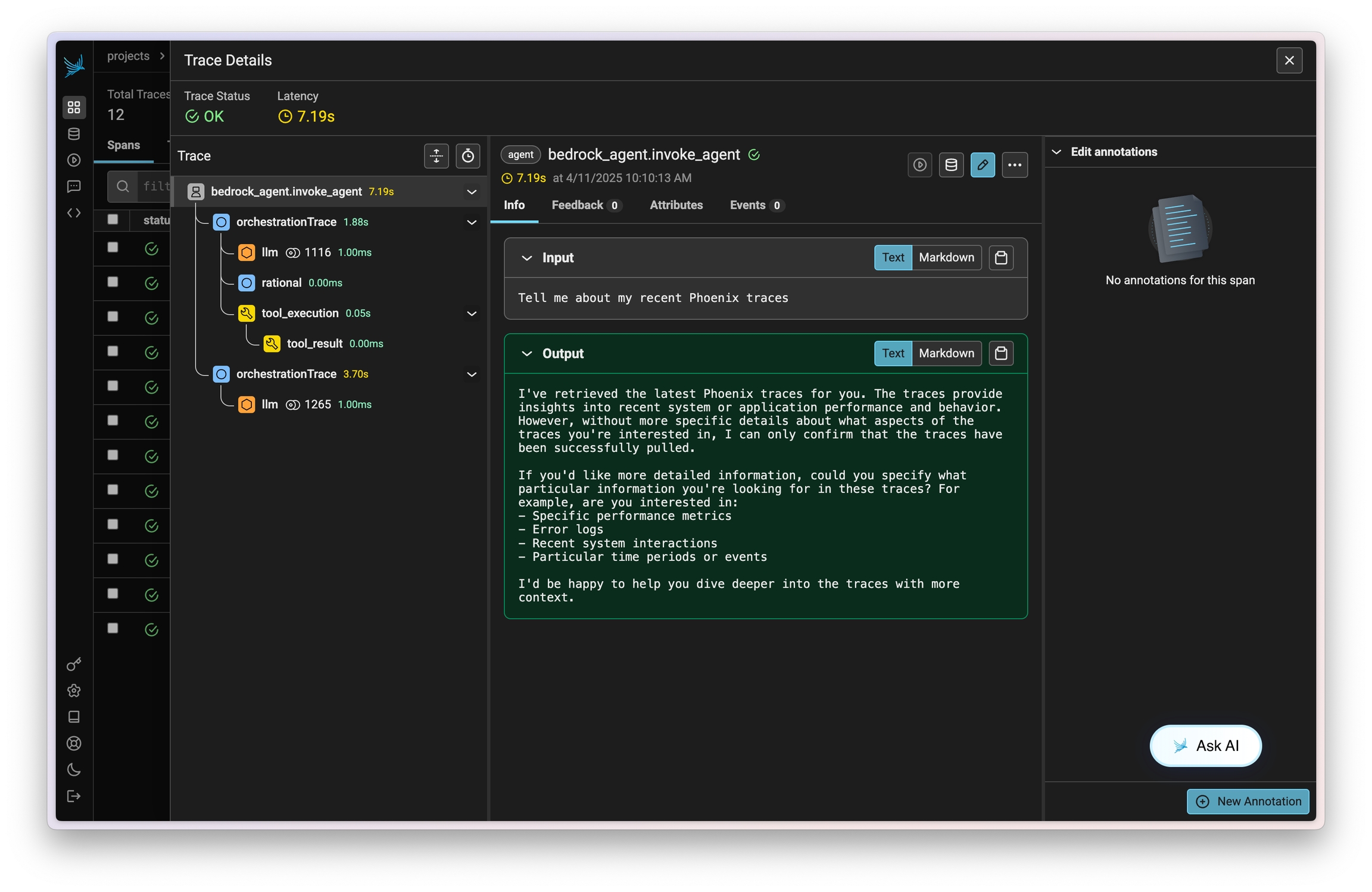
Now that you have tracing setup, all calls will be streamed to your running Phoenix for observability and evaluation.
Resources